

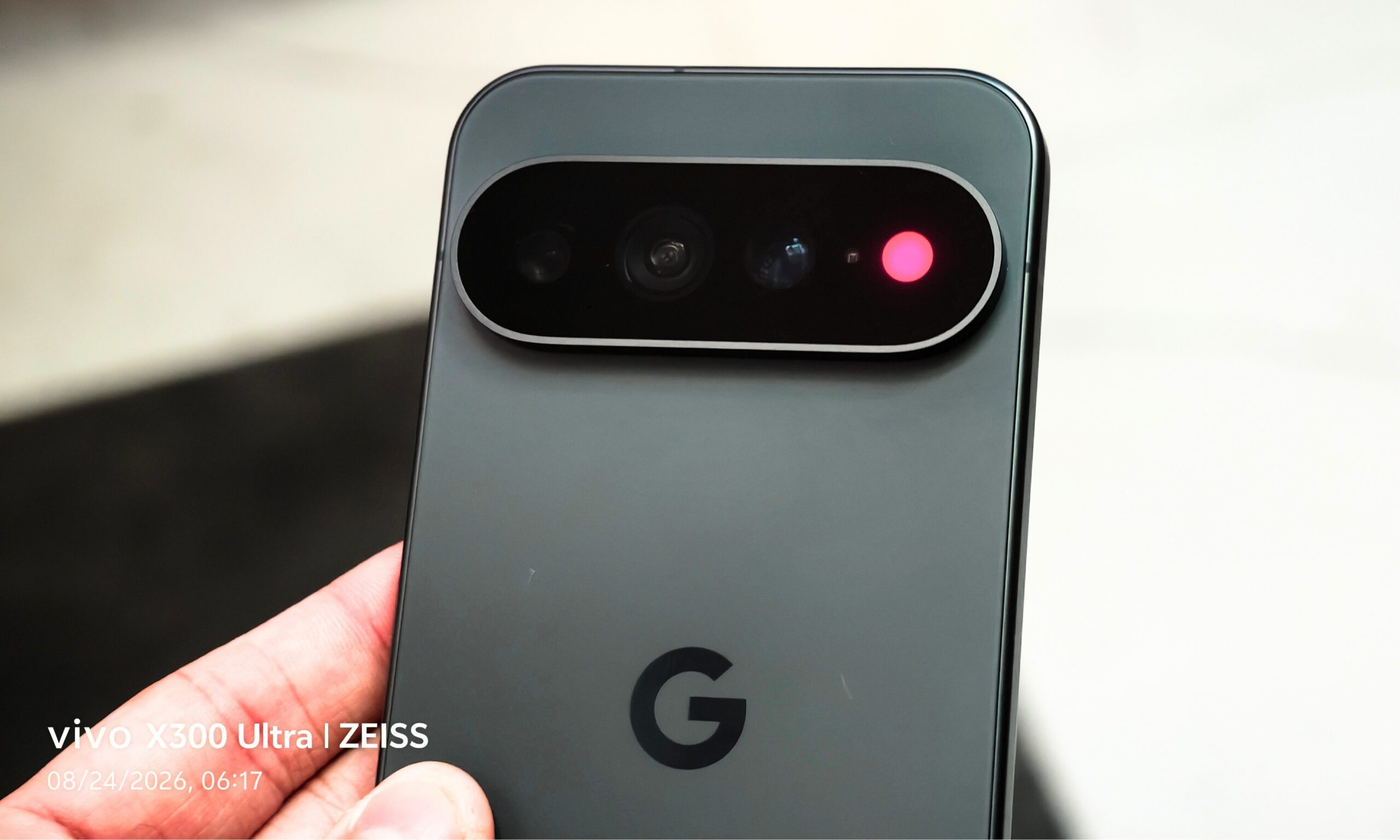
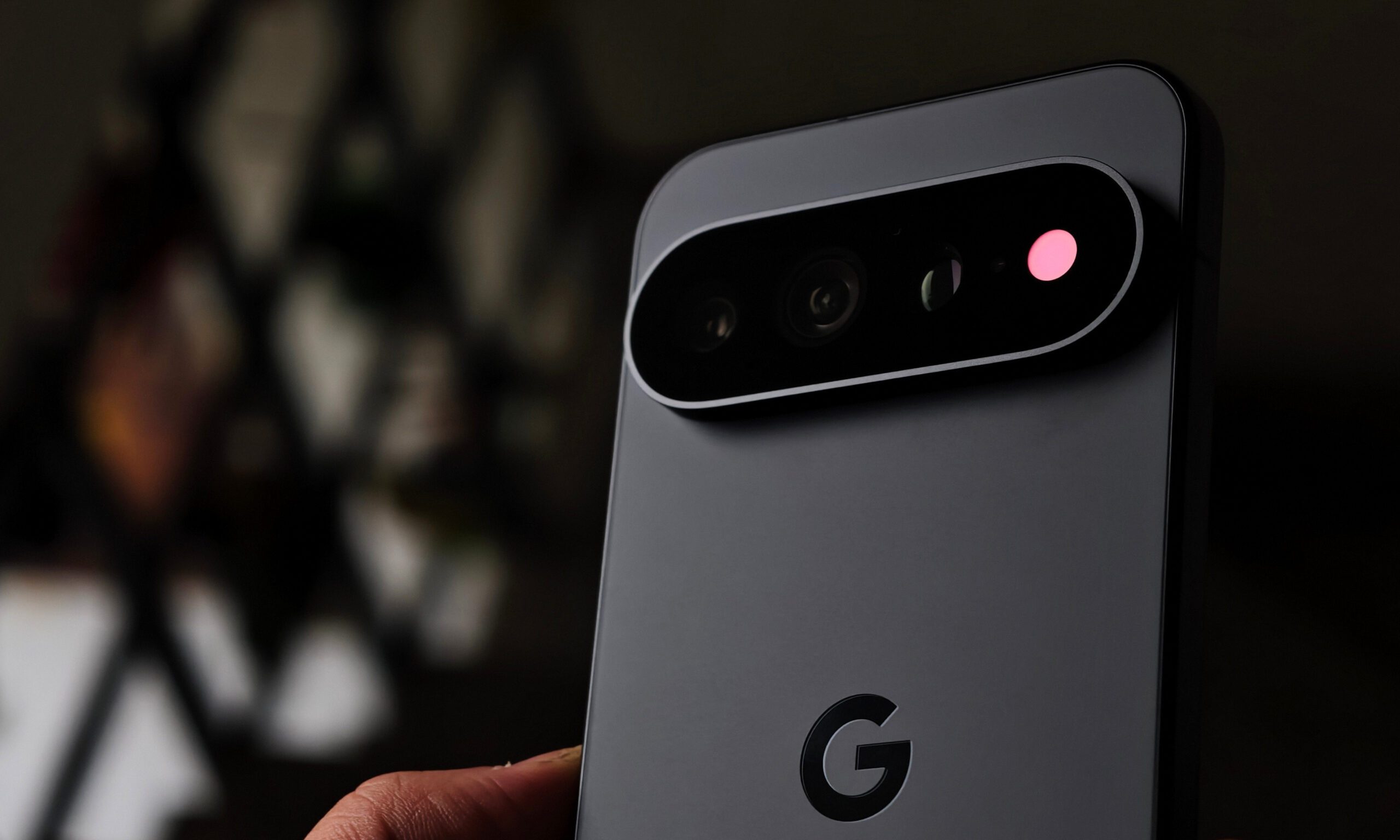
Apart from the new chipset, the camera upgrades, and Gemini Intelligence, the Pixel 11 Pro shipped with something that turned a lot of heads, in enthusiasm no less: the RGB light module on the back called HiLight.
Before Google announced the feature, I was actually excited about it, thinking about all the potential use cases; the light could have been a subtle notification queue for users, one that doesn’t compel them to unlock the phone right away. However, Google tied the hardware to two use cases: Gemini interactions and calls from favorite contacts.
That is exactly why tech content creator @Dhananjay_Tech (DhananjayBhosale) created an app called HiLight Studio, with a simple pitch: unlock HiLight’s true potential by opening it up to third-party apps and letting you have some fun with it. After spending a few days with the app on a Pixel 11 Pro XL, I have some thoughts, both about what the HiLight is actually capable of, and how much Google actually left on the table with it.
That’s where HiLight Studio comes in
On the home page, you can try out plenty of HiLight effects. The Rainbow effect comes closest to what we’ve seen in the promotional materials so far, with the modules lighting up in a rotating gradient. You also get five other effects to choose from: Random, Comet, Pulse, Breathe, and Wave. While this page is called Live (designated at the bottom of the screen), the Style page to the right lets you enable HiLight as an always-on light.
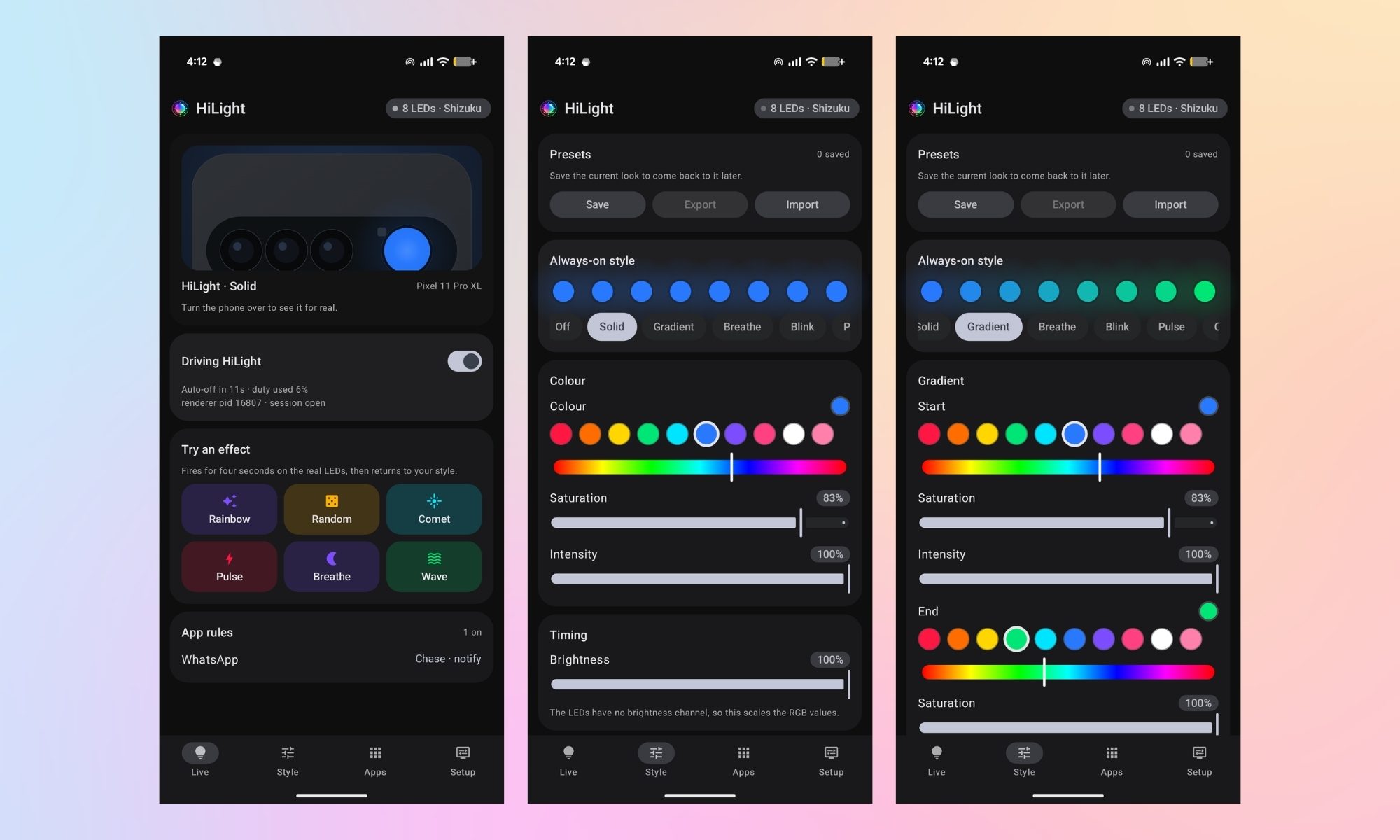
You can also choose different ways you want the LED modules to light up, including a gradient finish (with the option to select the start/end color), a breathing look (with the option to set the timing per cycle), and more.
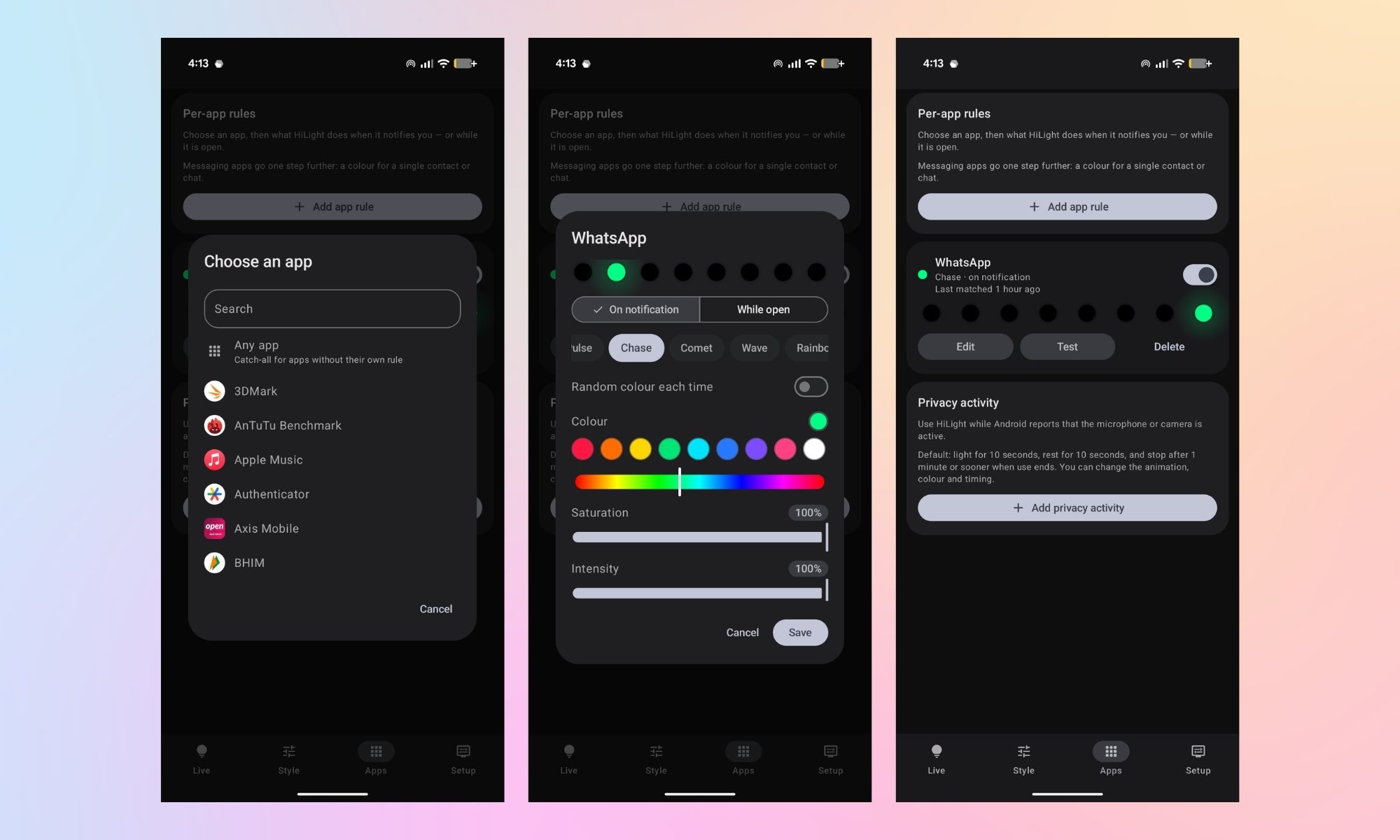
There’s an Apps section as well, wherein you can customize how the HiLight module glows up upon receiving a notification from an app. In my case, I’ve set a Chasing green light for WhatsApp, set as “on notification” rather than “while open.” Similarly, you can also create per-app rules for Instagram, Messenger, Teams, Gmail, or Slack.
This is where the hardware finally makes sense
This is one of the most intuitive and natural use cases of HiLight in my opinion, something that I’d like to remain this way. For what it’s worth, the app genuinely makes Google’s HiLight module interesting. It turns the boring system implementation into something that I always imagined it would be: a glanceable notification system.
Here’s the catch: enabling wireless debugging locks me out of the banking and payment apps I use daily, for security reasons that are frankly fair, not paranoid. So even though I like what HiLight Studio does, I can’t run it full-time. Second, and more importantly, actually getting the app working is a genuinely arduous process for a regular user.
Getting to what Google left behind is more tedious than it should be
You need two apps installed: HiLight Studio and Shizuku. First, enable Developer Options by tapping the build number seven times under “About phone,” because apparently that’s still how we’re gatekeeping settings in 2026. Then enable wireless debugging, install Shizuku, pair it using the six-digit code from the notification, and tap “Start.”
Shizuku, for the uninitiated, lets third-party apps borrow first-party system permissions, which in this case means the HiLight module. It’s only on the Play Store for Android 16 devices, so it wasn’t even available for my Pixel 11 Pro XL running Android 17, forcing a sideload instead. However, some of you might already know that the app was recently exploited by RedHook malware, which would also keep most users from installing it.
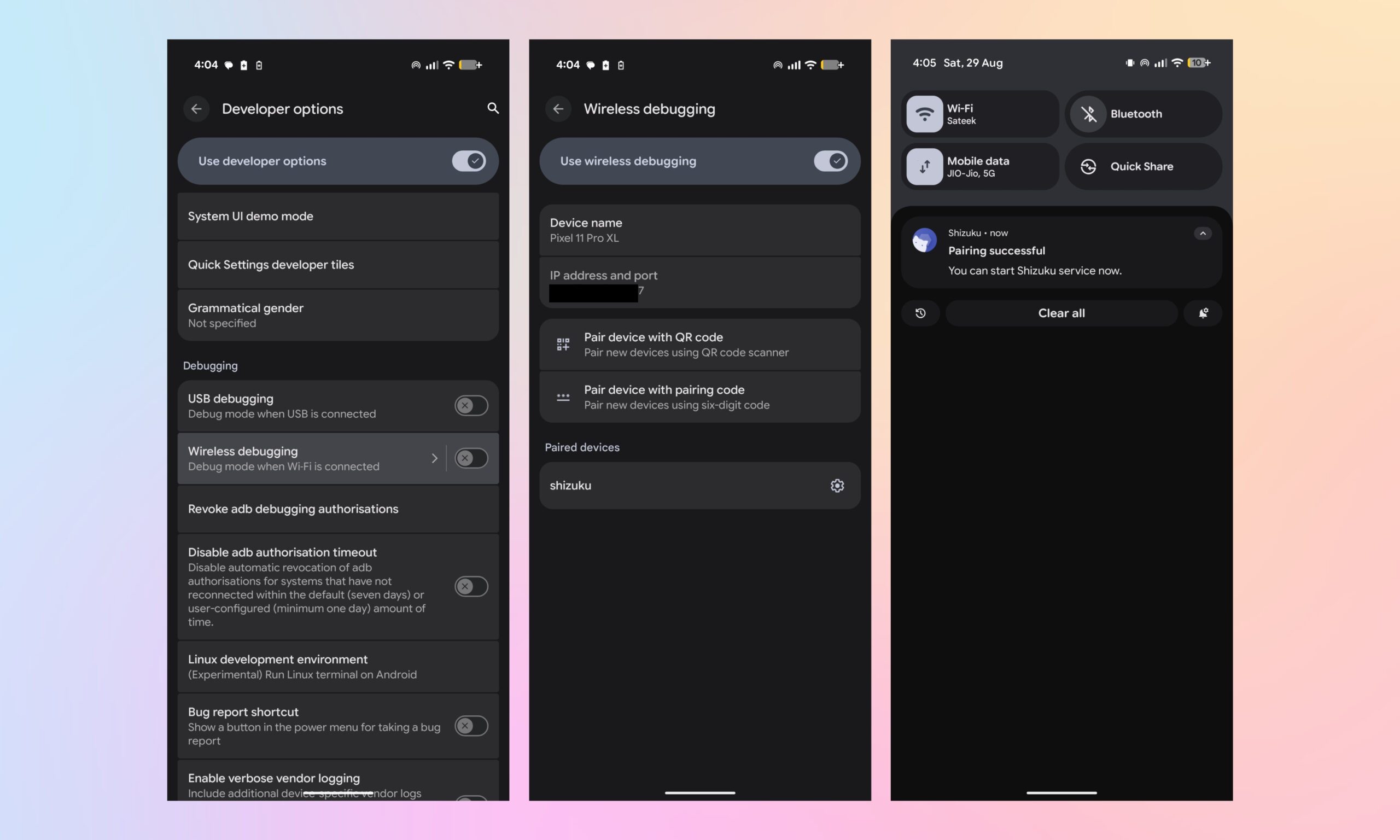
From there, open HiLight Studio, head to Setup, and under “Privileged access,” select Shizuku. Grant notification access too. Get everything right, and you’ll see a small “8 LEDs · Shizuku” confirmation appear, followed by one final toggle next to “System has HiLight” that unlocks the effects at the bottom.
Getting here is easier said than done
You see? It took me around 150 words to explain how the process works, and it would probably take you around 10 to 15 minutes to set everything up, provided you’re familiar with Developer Options and apps like Shizuku.
The app works about 70 to 80% of the time, but sometimes a WhatsApp notification doesn’t trigger the effect. Further, rebooting the phone disrupts the connection between HiLight Studio and Shizuku, and you have to re-establish it to use the lights.
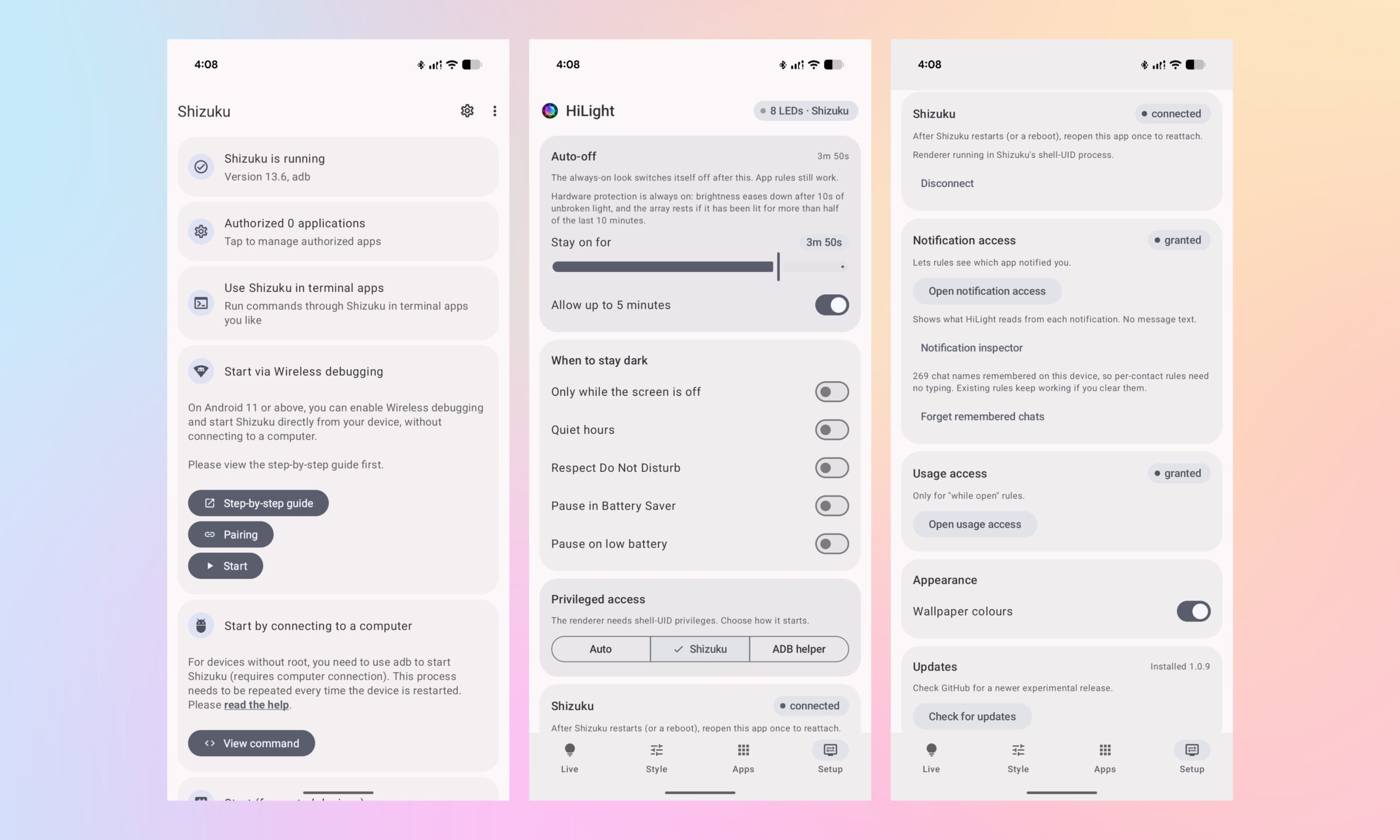
I’d have to give up access to the payment apps I use every day, keep wireless debugging enabled, and rely on a third-party bridge that might or might not be a security issue, all to unlock functionality that Google could have offered natively. These aren’t things that a regular user would want to do on their smartphone.
For me, HiLight Studio proves what Google is missing
I really appreciate the creator of the app, as it lets users explore HiLight’s true potential. However, a third-party app can’t beat a native, system-level implementation that would make the feature much more useful and worthwhile for everyone, not just enthusiasts.
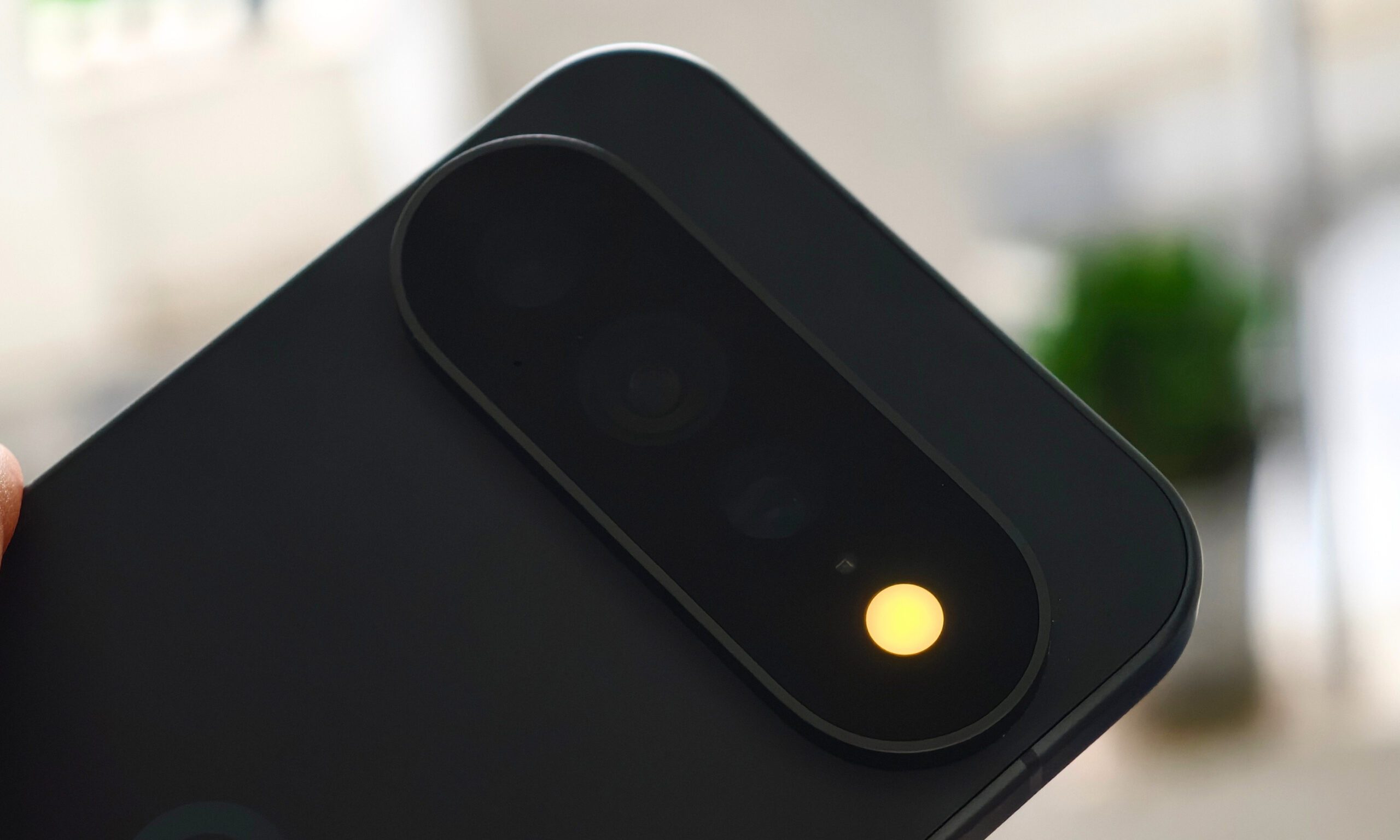
The app simply proves that the hardware can do much more than Google currently allows, and that’s the key takeaway. If someone at Google is reading this, I genuinely hope you’re planning to add some fun HiLight functionality in one of the upcoming Pixel Drops, because otherwise, this feels like a missed opportunity.
